

How Darwin Unified
Bennie's Website
and Support Experience
Executive Summary
Bennie's previous support portal lacked usability, a unified brand identity and the integration needed to match their main site experience. The disconnect between the two platforms meant the support portal no longer matched the experience users found on Bennie's main website. Inefficient navigation and limited flexibility in Salesforce frustrated users and diminished their trust.
Darwin partnered with Bennie to address the issues that were slowing and fragmenting the support experience. At first, Darwin addressed the navigation and branding issues users encountered when moving between Bennie's website and the support portal. Darwin then extended Salesforce through custom development and integrations before rebuilding support journeys around common user tasks.
The result was a support portal that felt like a natural extension of Bennie’s website. Users could move through support workflows more easily, while the portal reflected the same brand experience customers expected from the rest of the business.
The Approach
Darwin closed the gap in three stages: how users experienced the portal, how the portal connected to Bennie's existing systems, and how support tasks were completed.
01
Surface
Audit of the support portal UX, navigation paths, brand alignment and where users encountered friction completing support tasks.
02
Connections
Salesforce portal connected to the existing site infrastructure through API integrations, while CSS overrides aligned the portal with Bennie's brand experience.
03
Momentum
Portal rebuilt around user task paths. Navigation redesigned to support self-service task resolution at every step of the support journey.
The Results

Easier self-service
support journeys rebuilt around common user tasks

Stronger user trust
support portal reflected Bennie's visual identity and standards

Connected customer experience
Salesforce portal aligned with Bennie's main site
About the Client
Bennie is an employee benefits company helping organizations give their teams access to better health coverage and workplace wellness programs.
Bennie's support operation handled a high volume of user requests from customers who expected the same quality of experience in support as they found on the main site. The support portal lacked the navigation, consistency, and connectivity needed to support those expectations.
Introduction
Mission
Driven by a thoughtful, health-focused mission, Bennie delivers solutions that improve workplace experiences and employee engagement.
Problem Overview
Their support portal did not match the quality of the main site. It lacked the navigation structure, visual identity and integration that users expected. To close that gap, Bennie partnered with Darwin to rebuild the portal and align it with their brand and workflow standards.
The Challenge
Bennie's support portal had gaps at every level: the user experience, the platform integration and how easily users could complete support tasks.
Key issues

Inefficient support portal design
The portal's navigation was unintuitive, making support tasks harder to complete and leading to user frustration. It failed to provide the support experience Bennie's customers expected.
Integration issues
Bennie struggled to integrate the portal with existing platforms and maintain a consistent brand experience at every customer touchpoint.

Lack of brand alignment
The outdated platform didn’t reflect Bennie's vibrant and trustworthy brand. A mismatch between branding and customer tools diminished the company's ability to foster trust and loyalty.
Declining customer trust and engagement
A subpar interface contributed to customer dissatisfaction and made it harder for Bennie to strengthen relationships with their user base.

Limited flexibility in Salesforce
Salesforce's standard functionalities constrained the platform's adaptability during implementation. Custom CSS overrides and development work were required to build a portal that matched Bennie's operational and brand requirements.
The Solution
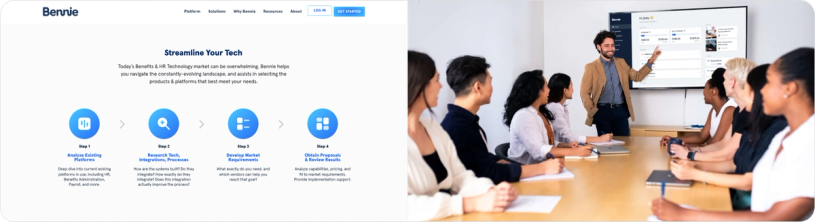
Darwin rebuilt the Salesforce support portal from the inside, working within the existing platform and connected infrastructure.
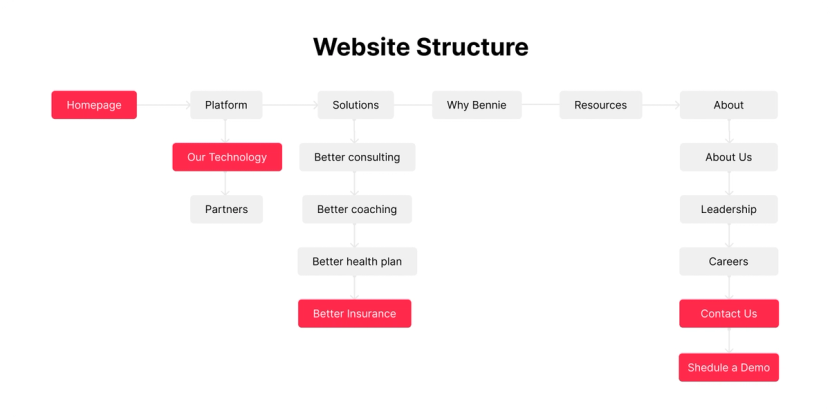
01
Custom portal development
Darwin built a fully customized support portal using CSS overrides and custom development. The result gave Bennie capabilities that Salesforce's default configuration does not provide out of the box.
02
Enhanced UI/UX design
03
Salesforce integration
Darwin built API integrations that connected the Salesforce support portal to the existing site infrastructure. Users moving from the main site into support no longer felt a sharp break in the experience.
04
Brand identity alignment
05
Performance optimization
By rebuilding navigation and aligning the portal with Bennie's brand standards, Darwin closed the gap between the main website experience and the support environment customers relied on
Key Outcomes
THE COLLABORATION BETWEEN BENNIE AND DARWIN DELIVERED A SUPPORT EXPERIENCE THAT MATCHED THE QUALITY OF THE MAIN SITE AND STRENGTHENED BENNIE'S BRAND PRESENCE
Support task path optimization
Navigation and task paths were redesigned around user workflows. Users had clearer paths to information and support resources.
Cross-platform integration
The updated portal integrated with Bennie’s existing systems, maintaining consistency and functionality across platforms.
Brand-consistent portal experience
The support portal was rebuilt to match Bennie's visual identity and brand standards. Every customer interaction reinforced the same experience users found on the main site.
Before-and-After Comparison
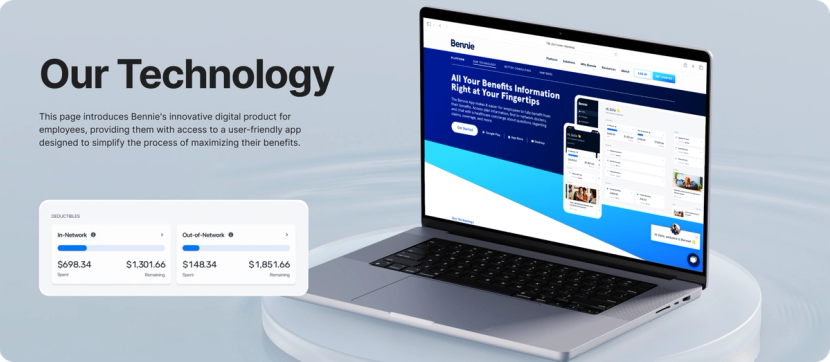
Area
- Navigation experience
- User trust and loyalty
- Branding consistency
Before
- Slow and frustrating
- Low trust due to outdated UI
- Misaligned with Bennie’s values
After
- Clearer and easier navigation
- Stronger confidence in the portal
- Fully aligned and cohesive
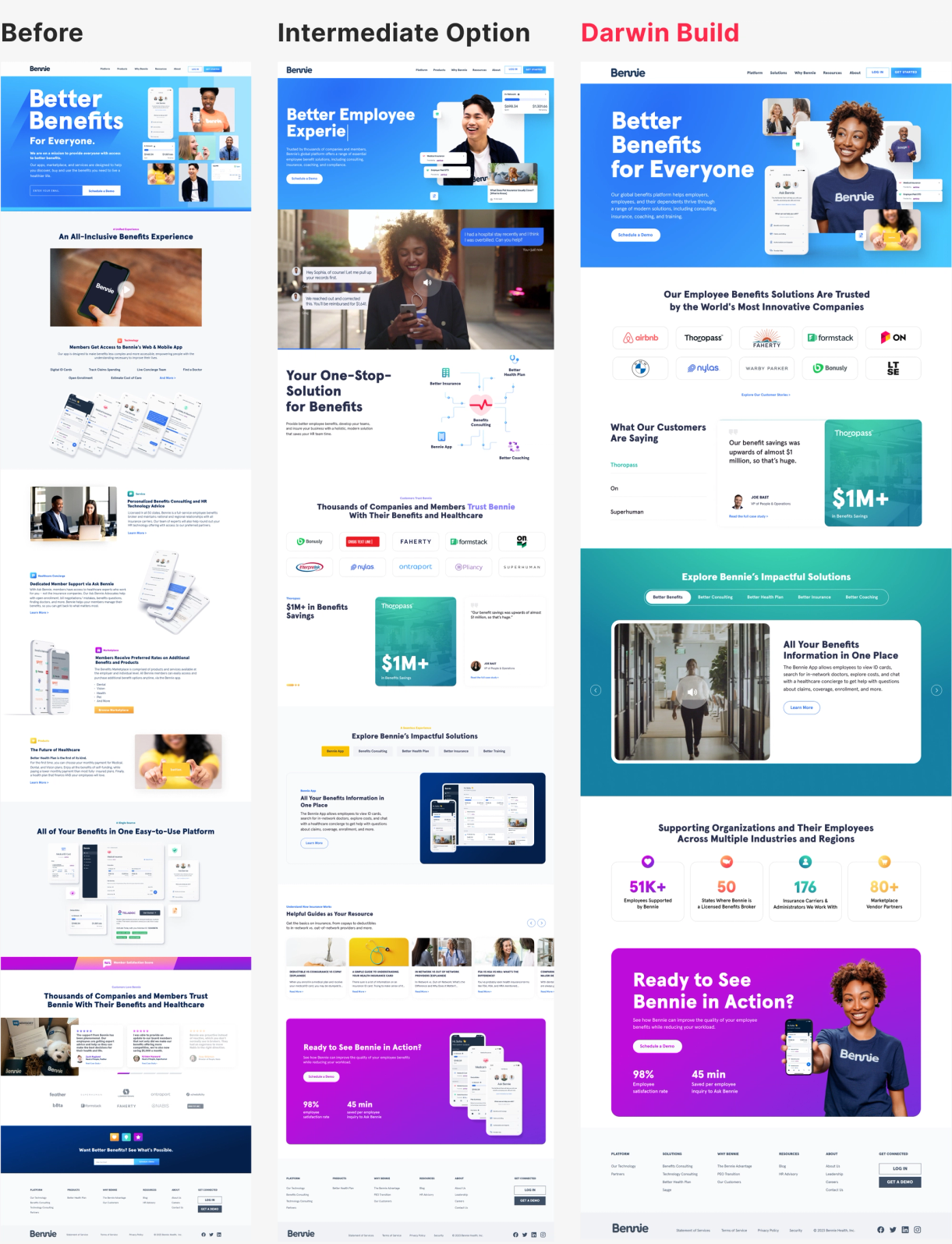
By partnering with Darwin, Bennie rebuilt a support portal that matched the quality of the main site and gave customers a consistent experience at every touchpoint.
Darwin Flux gave the project a clear sequence. The team first addressed the issues users encountered inside the support portal, then connected the portal more closely to Bennie's website and existing systems, and finally rebuilt support journeys around common user tasks. Each step removed friction from the support experience and strengthened the connection between systems, workflows, and user needs.